
Dashboard
View overall SMS performance and analytics in one place.
Overview
The Dashboard provides a centralized view of user interaction across your campaigns. It enables you to track engagement metrics daily, weekly, and monthly, helping you stay informed and responsive.
By reviewing key patterns in user behavior, you can:
- Identify high-performing campaigns or declining trends.
- Adjust your strategy based on real-time insights.
- Improve campaign effectiveness and conversion rates.
The Dashboard helps you track key metrics like total requests, sent messages, delivery success rates, failures, and user clicks, enabling complete insights into how your SMS campaigns are performing..
Navigate to Dashboard to view the SMS dashboard.
The SMS Dashboard equips users with powerful features to monitor, analyze, and optimize their campaign performance effectively. Key functionalities include:
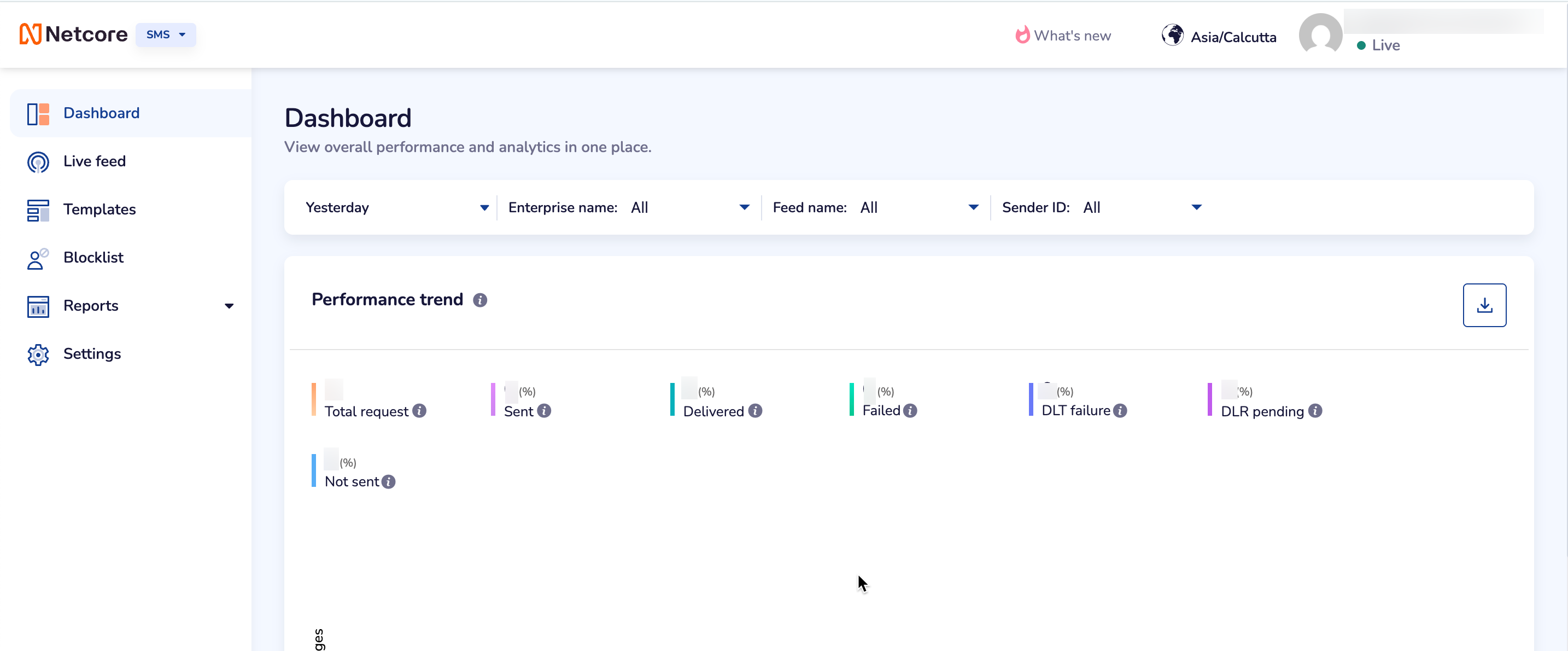
SMS Dashboard Overview
Date Range
Select the preferred date range to analyze your SMS campaigns. You can also select a custom date range that provides metrics to help you determine whether the campaigns are making users take desired actions, like buying a product or signing up for an account. Once the preferred date range is selected, click APPLY .
Available options in the dropdown menu are:
- Last 7 Days
- Last 30 Days
- Last 90 Days
- Custom Range: The duration is capped at 120 days.
Note:The data for the previous 24 hours is not displayed if you select the present date as the end date range.
You can filter the required details by Enterprise name, Feed name, and Sender ID.
Performance trend
Track key metrics across all incoming requests to monitor system activity and performance.
Visual charts show trends in message activity, like Total Requests, Sent, Delivered, and Failed.
Use these insights to quickly spot issues, understand user behavior, and improve performance.
Refer to the table to learn about the fields available here.
| Field | Description |
|---|---|
| Total request | Displays the total number of SMS requests initiated by users through Netcore. |
| Sent | Displays the total number of messages successfully forwarded from Netcore to the telecom operator for delivery. |
| Delivered | Displays the number of messages that were successfully delivered to recipients, as reported by the operator. |
| Failed | Displays the number of messages that failed to be delivered based on feedback received from the operator. |
| DLT Failure | Displays the count of messages dropped at the platform level due to issues such as missing opt-ins, invalid numbers, suppression rules, or errors. |
| Click | Displays the number of user clicks on SMS links, if link tracking is enabled in your campaign setup. |
| DLR pending | Displays messages for which the delivery report (DLR) is still pending from the operator. |
| Not sent | Displays the number of messages that were not sent from the platform due to configuration issues, or pre-validation failures. |