
RCS-SMS Fallback Support
RCS-SMS Fallback support
Given the current reachability statistics (30-35%) of RCS on Android (which is continually increasing), SMS Fallback support empowers users to configure campaigns where recipients not reachable over RCS or those failing to receive RCS messages will automatically be attempted over SMS.
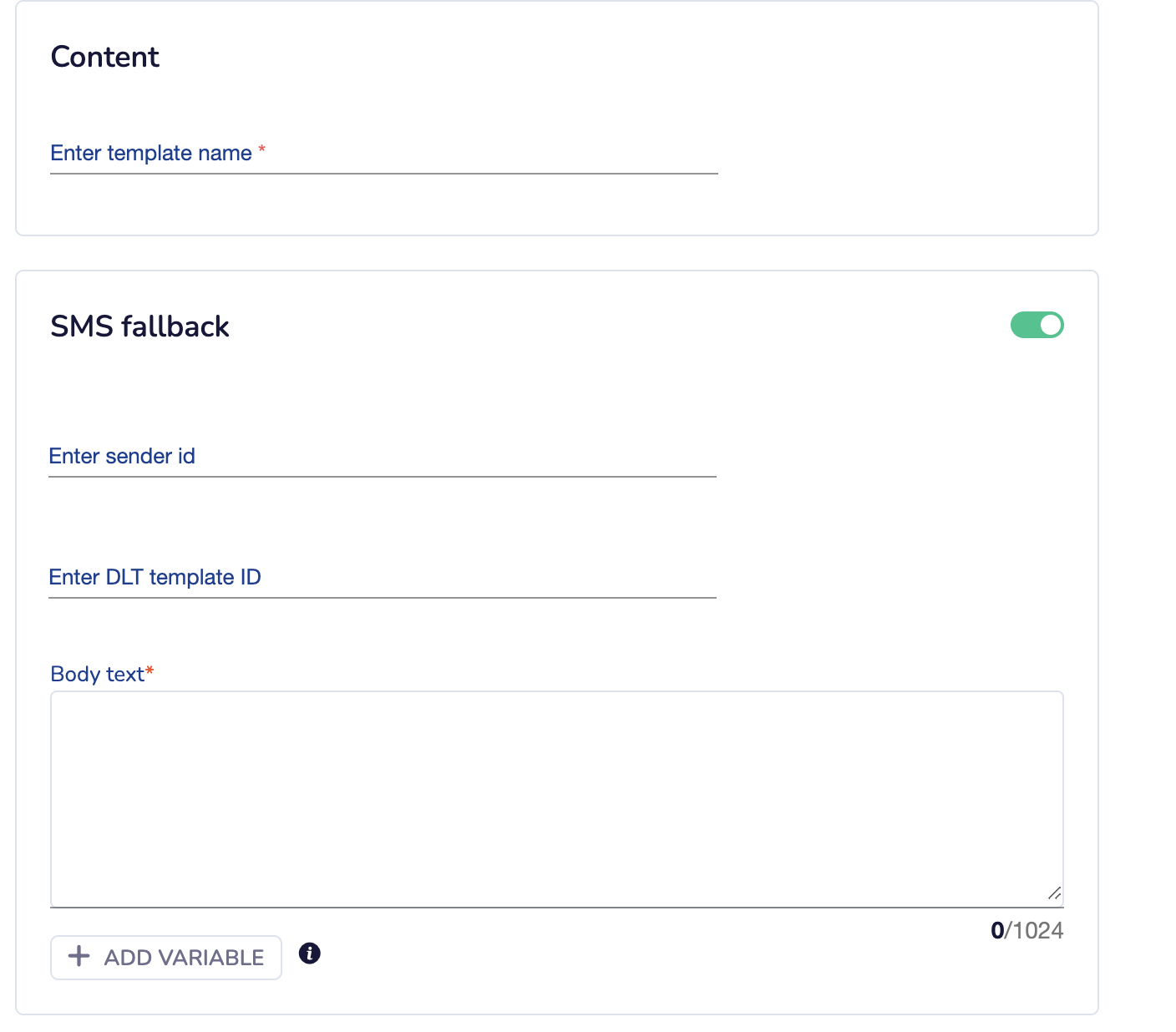
How to Use SMS Fallback
To enable SMS Fallback, users can toggle the feature after uploading their CSV file and adding RCS campaign details. For SMS, input the Sender ID, DLT Template ID, and SMS body (which needs to be whitelisted from DLT first), and hit SEND. This feature also supports attribute personalization, allowing tailored messaging experiences for each recipient.
Additional Feature: Deflected Icon Display in Live Feed
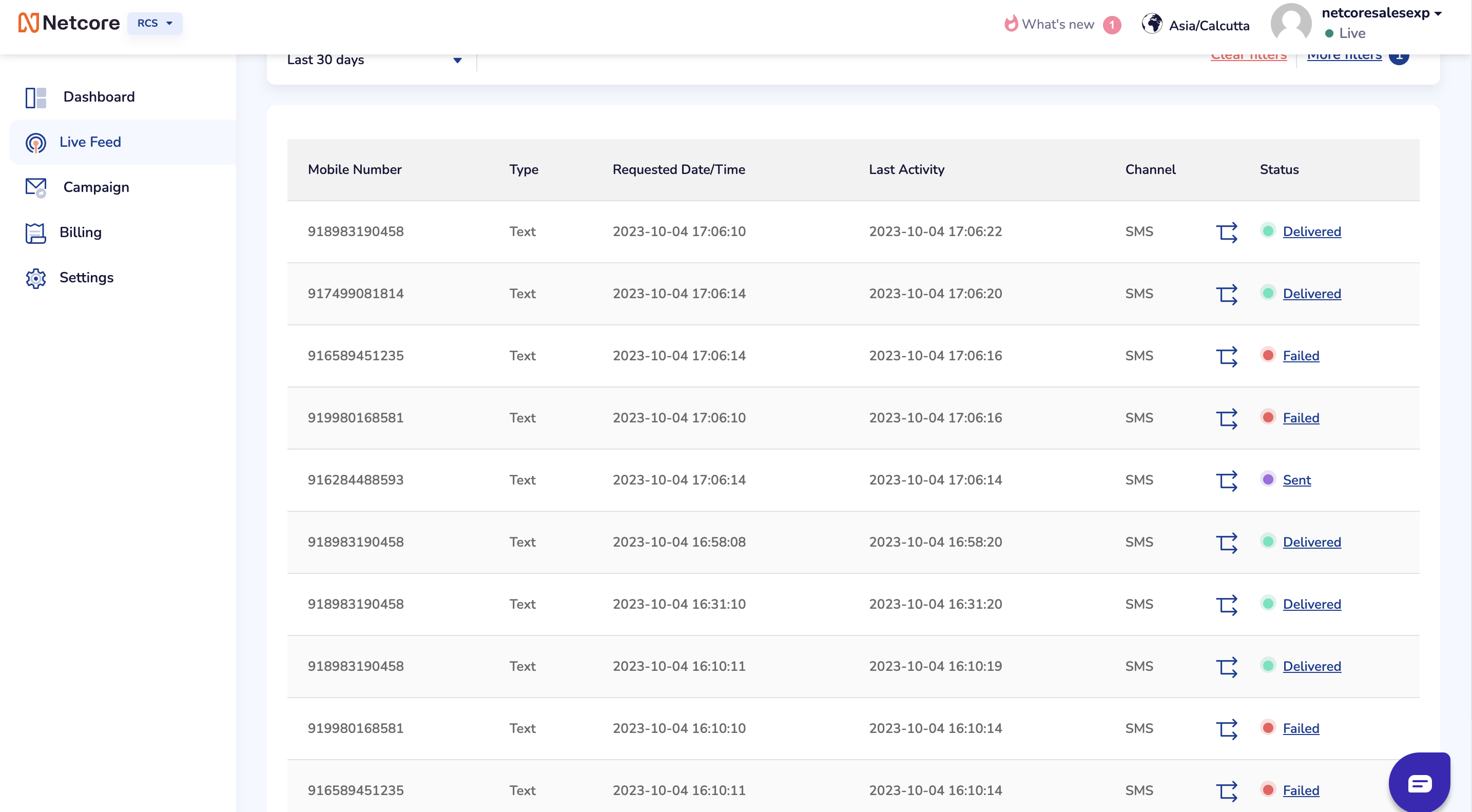
In our Live Feed, we have introduced a new feature where RCS failures are indicated by a deflected icon. This icon signifies that the RCS message was unsuccessful and was subsequently sent via SMS, providing a clear visual representation of the fallback process. Additionally, the Live Feed will display icons indicating whether the SMS was Sent, Delivered, or Failed, providing real-time insights into the status of each message.
Impact on Reporting
In the reporting section, the introduction of the Not Sent status ensures consistency across channels in Netcore. Here's a breakdown of each status:
- Total Requests: The total number of targeted recipients in the CSV.
- RCS Sent: The number of targeted reachable RCS recipients.
- RCS Not Sent: Includes non-reachable RCS users, blocklisted users, invalid numbers, etc.
- RCS Delivered: Successfully delivered RCS messages.
- RCS Read: RCS messages that have been read by the recipient.
- RCS Failed: RCS messages that failed to be delivered (from the operator).
- SMS Sent: SMS messages sent, including non-reachable users and RCS failed recipients (applicable only if fallback is used).
- SMS Delivered: SMS messages successfully delivered (applicable only if fallback is used).
- SMS Failed: SMS messages that failed to be delivered (applicable only if fallback is used).
Note
Starting from October 4th, Not Sent counts will be reflected on the platform for campaigns executed after this date. Sent counts for previous months can still be verified using the Live Feed feature (please note that the Summary Dashboard might have mismatches).
NoteReach out to your account manager and specify the Feedid (from Bizbond account) that will be used to send SMS fallback - to get started!
We encourage all users to leverage this robust feature to optimize your messaging strategies and ensure maximum reach to your audience.