
Dashboard
Get real-time overall performance and analytics in one place.
Overview
The Netcore CPaaS Dashboard section is a tool for viewing the performance of your communication system. It provides a detailed view of its performance, allowing you to make data-driven decisions to improve your processes.
This does not reflect your system’s activity over time but the data of the end user (our customer's customer). Please rephrase the overview section.
The performance trend section visually represents your system’s activity over time. This allows you to reflect on how your system has been performing over the last several days.
Date Range
To change the date range, click the dropdown menu, select the dates, and click APPLY. This helps you get reports and compare data for one date range with data for another. When you change the date range in a report, all other reports are automatically updated to reflect the new date range.
Date Range options:
- Today
- Yesterday
- Last 7 Days
- Last 30 Days
- Last 90 Days
- Custom Range (up to 90 days)
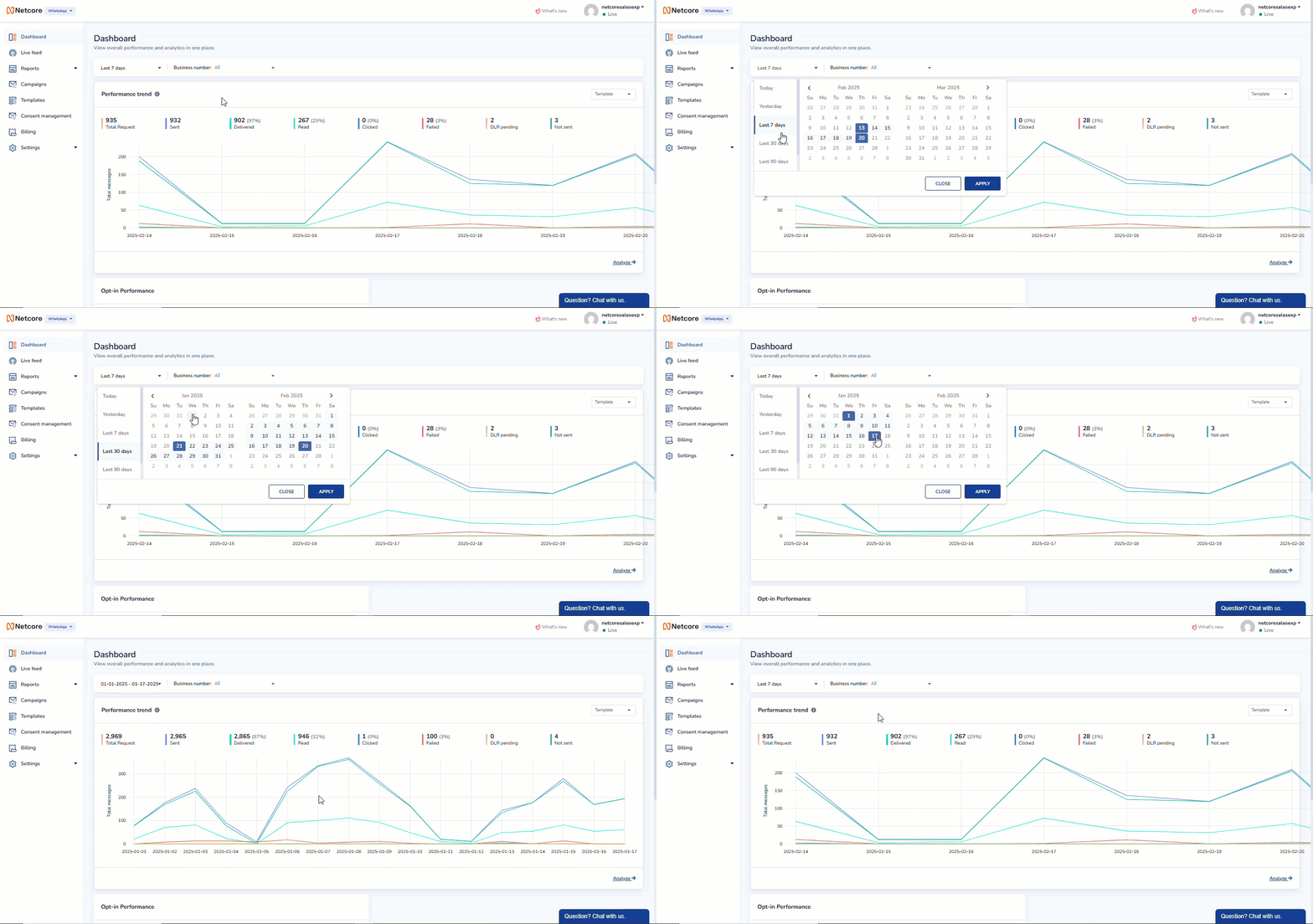
Date Picker
Business Number
You can select the business numbers associated with your business account. The performance data for each number can be analyzed individually on the dashboard for multiple use cases.
Performance Trend
The Performance Trend section shows key WhatsApp messaging metrics for the selected date range. It aggregates end-user interaction data to help you evaluate overall messaging performance at a glance.
- The total number of messages sent and received.
- Daily changes in performance help you spot patterns or issues.
You can toggle between Template and Conversation to view metrics specific to:
| Type | Description |
|---|---|
| Template | Business-initiated WhatsApp messages |
| Conversation | Interactive, real-time communication with customers |
Use the selector in the Performance Trend section to switch between:
- Template metrics
- Conversation metrics
The dashboard updates automatically to reflect metrics relevant to the selected message type.
Graph Explanation
- X-axis: Date (based on the selected date range)
- Y-axis: Message count per metric
The graph visualizes daily fluctuations across key metrics, making it easier to identify trends, drops, or spikes in performance over time.
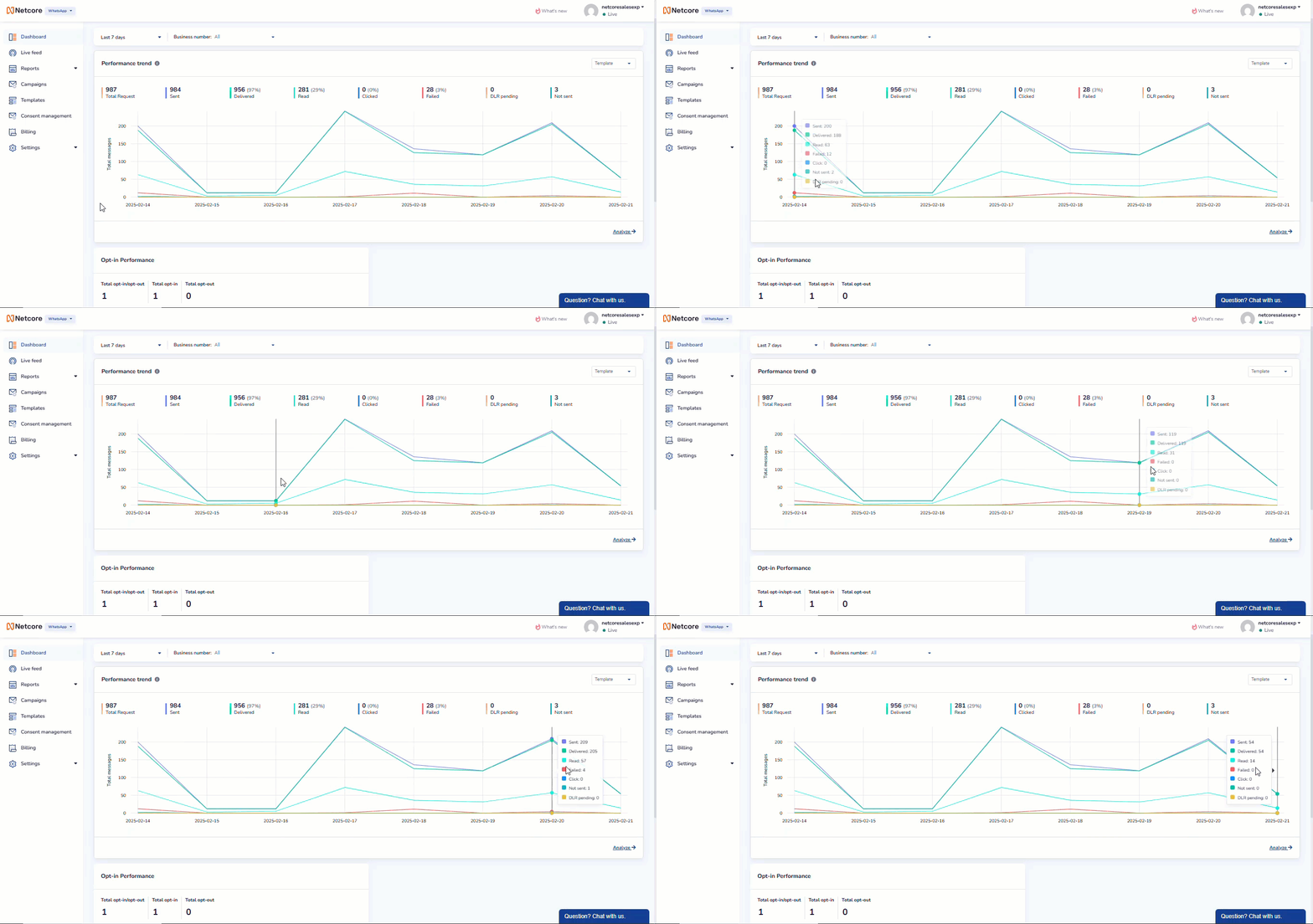
Visualize Data on Dashboard
Key Metrics
The following metrics summarize message performance for the selected message type and date range:
| Type | Description |
|---|---|
| Total Request | Total number of message requests initiated or sent. |
| Sent | Messages that were successfully sent to recipients. |
| Delivered | Messages successfully delivered to the recipient's device. |
| Read | Messages that were opened or read by the recipient. |
| Clicked | Instances where recipients clicked links within the message. |
| Failed | Messages that failed to be sent or delivered. |
| DLR pending | Messages for which delivery confirmation is still awaited.. |
| Not Sent | Messages that were not sent due to validation failures, policy restrictions, or other pre-send conditions.. |
| Incoming | Messages that are received from recipients. |
Metric Percentages
Where applicable, percentage values indicate the proportion of messages relative to Total Requests, helping you quickly assess delivery and engagement effectiveness.
Opt-in Performance
The Opt-in Performance section illustrates how end users manage their WhatsApp communication preferences. It helps you track consent activity and understand the reachability of your WhatsApp messages.
The Netcore CPaaS dashboard also tracks how users interact with your system through opt-ins and opt-outs. It shows you:
Metrics Tracked
- Total Opt-in/Opt-out: The combined count of opt-in and opt-out actions recorded during the selected date range.
- Total Opt-in: Number of users who have granted consent to receive WhatsApp messages.
- Total Opt-out: Number of users who have withdrawn consent and will no longer receive WhatsApp messages.
When no consent activity is recorded for the selected filters, the dashboard displays No data available.
Use Go to details to drill down into consent-level information for deeper analysis.